
[Shanghai Xusheng Electronic Technology Co., Ltd.] Issues Related to Projector Installation
[ShanghaiXusheng Electronic Technology Co., Ltd.] Projector Installation Issues
I. Calculating projector installation distance and projection distance
No matter where the projector is placed, the influence of projection distance on the picture size cannot be ignored. Since the throw ratio of each projector is different, be sure to read the manual carefully before installing the projector, and install the projector according to the projection distance comparison table in the manual, or calculate it yourself according to the throw ratio parameters. Below we introduce the most practical calculation method for projector installation distance.
The specific calculation formula is as follows:
1. If the picture screen is 16:9, the formula is:
Projection distance = screen picture size X 0.87 X 0.0254 X throw ratio.
2. If the picture screen is 4:3, the formula is:
Projection distance = screen picture size X 0.8 X 0.0254 X throw ratio.
3. If the picture screen is 16:10, the formula is:
Projection distance = screen picture size X 0.848 X 0.0254 X throw ratio.
4. Calculation example:
Taking a 16:9 widescreen as an example
Projection distance = screen picture size X 0.87 X 0.0254 X throw ratio.
Calculated in reverse, another formula can be derived:
Screen size = projection distance / (0.87 X 0.0254 X throw ratio).
With the above formula, the following calculations can be made:
You can quickly calculate what size screen matches what distance. For example, to project 2 meters away, and the throw ratio of the projector is 1.2, what is the minimum screen size to buy?
Screen size = 2/(0.87X0.0254X1.2) = 75 inches.
Of course, the projection distance can also be calculated from the screen picture size. If the screen picture size you bought is 80 inches and the throw ratio of the projector is 1.2, what is the projection distance?
Projection distance = 80X 0.87 X 0.0254 X 1.2 = 2.12 meters.
Of course, you can also quickly calculate what projector with what throw ratio matches what space? For example, to achieve a 100-inch picture at a distance of 2.5 meters, what projector should be chosen?
Throw ratio = 2.5/(100X0.87X0.0254) = 1.13
The above is the detailed calculation method of projector installation distance for everyone; below is a summary table of common screen sizes and projection distances.
II. Connection and debugging methods after camera installation
After the projector is installed, the next step is to connect the projector. Some people think connection is easy, but note that some projectors do not come with complete connection cables; connecting to a computer requires the graphics card to have a video output port, or connecting the graphics card to the projector through a separately purchased cable; be sure to ask clearly when purchasing. As for the entire sound system, when building it, just correctly connect the projector to the speakers, amplifier or other multimedia audio-visual equipment.
For example:
For engineering projectors installed in schools, the result after installation is often unsatisfactory due to non-standard signal sources, signal lines that are too long, electromagnetic interference among various high-power electrical equipment and other factors; it may take a period of debugging and running-in, and sometimes additional auxiliary equipment is required, to fully achieve the desired effect.
After the wiring is completed, the image needs to be projected onto the wall or screen. Move the projector to make the image projected to the correct position while adjusting the projector lens knob to focus, and at the same time make sure the projected image fills the whole screen as much as possible. If the image appears trapezoidal or parallelogram, the built-in keystone correction function of the projector can be used for adjustment.
At this step, it does not mean the projector can be used immediately; to obtain the best effect, some debugging and settings must be done, that is, to set the resolution of the video source according to the resolution supported by the projector so that they match each other to obtain the best effect.
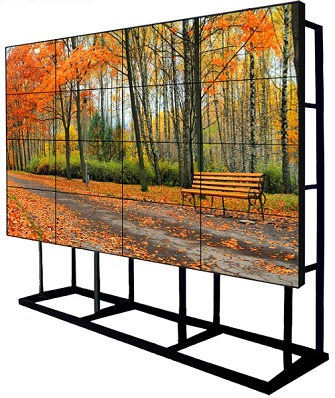
keyword: Projector
Source of the article:http://www.xusen-pro.com/